My Singing Monsters Karaoke Custom Controllers, Skins, and Customization
What you can rebind, what you can swap, what you cannot mod, and how Steam Input fits in.
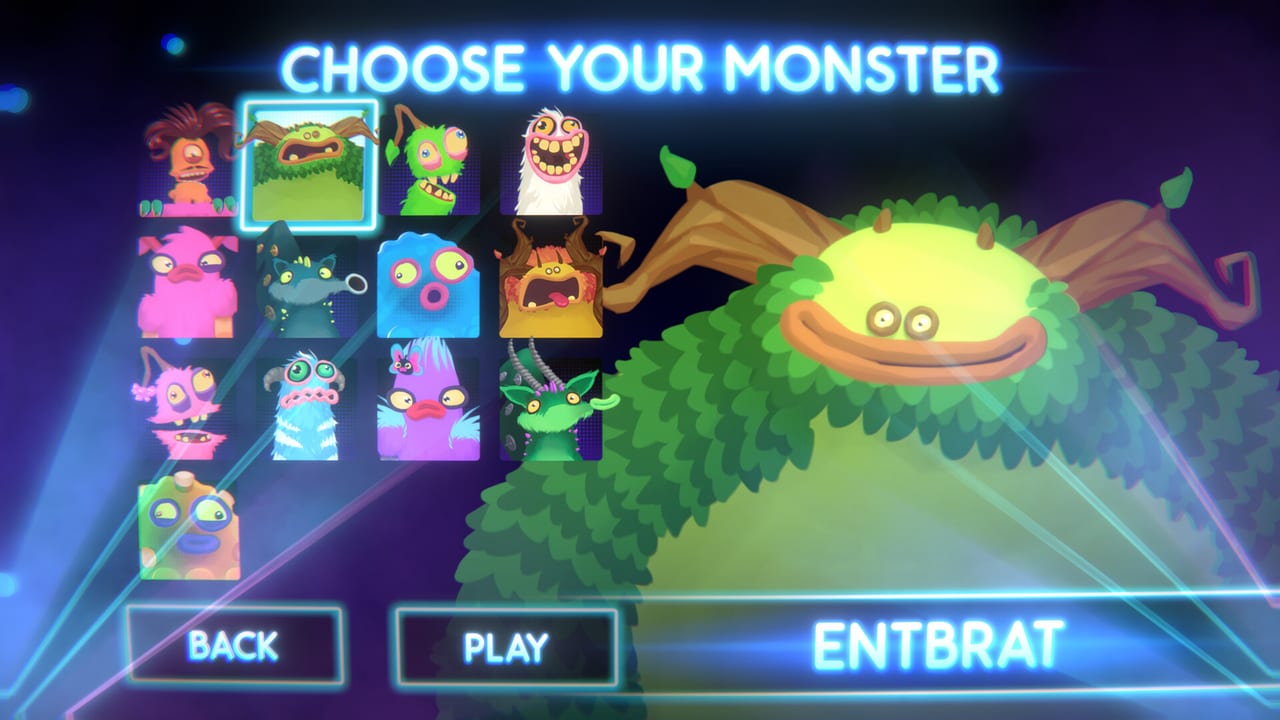
My Singing Monsters Karaoke is a small toy, but it does ship a customization layer. Steam Input profiles, custom controllers, hardware rebinds, and the available DLC faces are the customization surface. What the toy does not ship is Steam Workshop, a skin editor, a mod loader, or a way to replace the audio. That is the entire menu.
If you came from a deeper rhythm game with workshop mods and animated skins, this is going to feel thin. The review explains why. This page explains what you can actually customize today and what to expect if a Steam news post ever broadens the surface.
Custom controllers
The Steam store explicitly mentions custom controllers as an extra challenge. The PAX booth version of Karaoke used flight-style hardware with a lever motion that mapped to pitch. Players who owned a throttle, a flight stick, or a novelty slider could replicate that booth feeling on Steam.
The binding is simple: map one analog axis to pitch. That is the entire contract. Avoid mapping pitch to a digital hat that only knows up and down; the result is a staircase on a slide. Steam Input can remap that axis if the game’s own list is thin. Save a per-game profile so a racing-wheel preset from another title does not steal your Karaoke launch.
Partial Controller Support is the honest label. Steam lists it on the DLC pages because the base-app API snapshot does not include a full controller category. Some pads work through Steam Input; some do not. If your pad does not work, that is why the word partial is on the store. It is not a broken GPU.
The controls reference is the short table. The controls essay is the long one. The Steam Deck page covers the handheld-specific version of the same advice.
Steam Input profiles
Steam Input lets you build per-game controller bindings. For Karaoke, the only binding that matters is pitch. Open Steam Input settings, find My Singing Monsters Karaoke in your library, choose the controller you want to use, and bind a single analog axis to the game’s pitch input.
Useful tricks:
Gyro assist for tiny corrections. If your controller has a gyro and you already have a stable axis, gyro can add small corrections to a slide without you consciously aiming. Turn it off if it adds noise instead of help.
Disable motion controls. Steam Input may default gyro or motion to on. For a pitch toy, that is usually wrong. The ribbon does not care that you tilted your controller. Disable motion unless you know why you want it.
Save per-game profiles. Racing games, platformers, and pitch toys want different bindings. Save each profile separately so a different launch cannot steal your Karaoke setup. Steam Input does this automatically when you name the profile after the game.
Use a dedicated pad for the toy. If you have a beat-up controller in a drawer, dedicate it to Karaoke. Two devices fighting on the same pitch axis make the Monster vibrate like a phone on a table. One device at a time.
Skins and DLC faces
The only cosmetic DLC available on launch is Rare Pack, which adds seven Rare forms as playable characters, plus Day One Pack’s free Rare Furcorn. Rares use new palette and animation sets on the same pitch engine. They are not stat upgrades. The Rare Pack page and the Day One Pack page are the honest product descriptions.
Beyond DLC, there are no skin packs, no theme swaps, no banner customization. The launcher is fixed. The judges are fixed. The stage is fixed. If a future Steam news post adds a costume DLC or a stage skin pack, this page gets a new section.
Mods, Workshop, and third-party tools
There is no Steam Workshop. There is no mod loader. There is no community skin directory. Players have asked for all of these on launch-week reviews, and BBB has not shipped any. The known issues page collects the persistent request.
Third-party tools to consider or avoid:
OBS and capture software. Capture is fine. The game is yours to stream. Bind pause to a key you can hit without looking.
Steam Input. Officially supported. Use it for your custom controllers.
Chart zips from other pitch games. Compatible in some cases. Respect the original chart authors; the import guide covers the etiquette.
TootTally overlays. The launch client removed TootTally branding after a launch complaint. Do not paste TootTally branding into your own overlays; BBB already had to walk that back.
Voice-changing software. Karaoke does not take microphone input. Voice-changing software has no effect on the game’s audio.
Settings and accessibility
Karaoke’s settings menu exposes Music Volume and Character Volume. There is no difficulty slider, no colorblind mode, no reduced-motion option, no narration toggle. The audio adaptations are not adjustable beyond the two sliders. The menu SFX complaint is the most-cited accessibility gap.
If you need colorblind support, the current build does not ship it. The pitch ribbon uses green for the safe zone, which is a problematic choice for some forms of color blindness. We do not have a confirmed Steam news post that fixes this; if you need the feature, post on the Steam discussion board rather than assuming this wiki missed an update.
For reduced motion, the squash animations are integral to the joke. There is no toggle to disable them. If a family member is sensitive to rapid motion, hover the character grid instead of playing a song; the animations are slower there.
How this fits the rest of the wiki
Controls for the input essay. Controls reference for the short table. Steam Deck for handheld. Rare Pack and Day One Pack for the cosmetic DLC. Known issues for the persistent Workshop and accessibility requests. Review for the broader customization discussion.
Karaoke is a Steam toy, not a sandbox. Customization means choosing a controller, binding it well, and picking the DLC faces you like. That is the entire customization surface. If a future Steam news post adds more, this page grows.
Frequently Asked Questions
Quick answers to the most common questions.
Can I use my own custom controller?
Yes. Map one analog axis to pitch in Steam Input. Avoid digital hat switches; they turn slides into staircases.
Is there a Workshop for skins or mods?
No. Steam Workshop, mod loaders, and skin directories are not in the launch client. Players have asked.
Do Rare Monsters have stat upgrades?
No. Rares are cosmetic and animation cousins of their base form on the same pitch engine.
Is there a colorblind mode?
Not in the launch build. The pitch ribbon uses a green safe zone. There is no confirmed patch adding accessibility options.
Can I disable the squash animations?
No. The animations are integral to the joke. There is no reduced-motion toggle.